
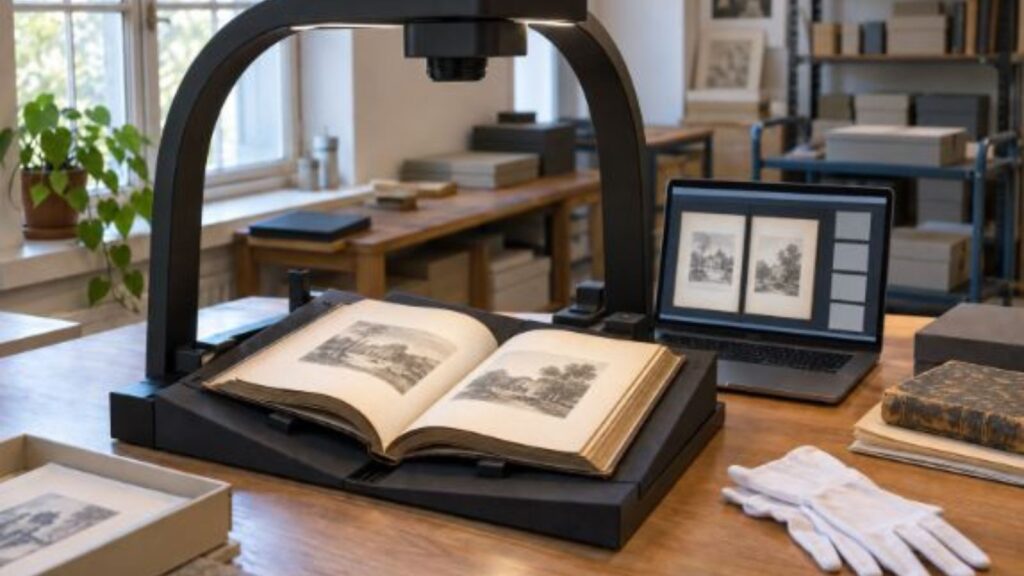
Every organization that digitizes books arrives at the same fork. Press a hardback down on an office flatbed and the binding gives way; leave it unpressed, and every spread comes back with a dark curved gutter that swallows the inner half of each line. Photographing pages with a phone avoids the crushing and introduces its own tax, because handheld shots land at different angles, exposures and sizes, and somebody has to fix them one at a time. Overhead scanning exists for this gap, and a czur book scanner belongs to that family: the volume lies face up in its natural position, a camera looks down from a column, and the correction happens in software rather than under a lid.
Compare the work left after capture: the flattening, the squaring of crooked pages, the splitting of a spread into two files, and the retyping of words that a scan left as a picture. A czur scanner is built around that whole chain, so the measure that tells you anything is finished pages per hour rather than the specification of a single shot.
How a CZUR Book Scanner Handles a Curved Page
The core problem is geometric. A camera above an open book sees two pages curving away toward the binding, and the text near the gutter is both bent and further from the lens than the text at the outer edge. Curvature correction models that bend and lays the letters back onto a straight baseline, so a paragraph that ran downhill into the spine comes out level. Fingers holding a stiff volume open at the page edges are removed by the same processing, which sounds cosmetic until you watch someone work at speed with one hand on the book. Splitting follows: a single exposure of a spread becomes two images, one per page, cropped to the paper and squared. None of these steps is exotic, but together they are the reason an overhead unit should be compared with a copier on pages delivered rather than on shots taken.
The physical gain is easier to state. Nothing touches the binding, so a bound volume that would not survive a flatbed lid can be handled at all.
- Curvature: text bent toward the gutter is straightened, so the inner margin stays readable instead of dissolving into the shadow of the binding.
- Hands and edges: fingers used to hold a stiff volume open are erased from the image, and the frame is cropped to the paper rather than to the desk.
- Spread splitting: one capture of two facing pages becomes two straight, separately numbered files, which is the form a catalogue or a document system expects.
- Skew: pages placed slightly crooked are squared automatically. On a run of several hundred pages this matters far more than it does on a demonstration of five.
Where a CZUR Document Scanner Earns Its Desk Space
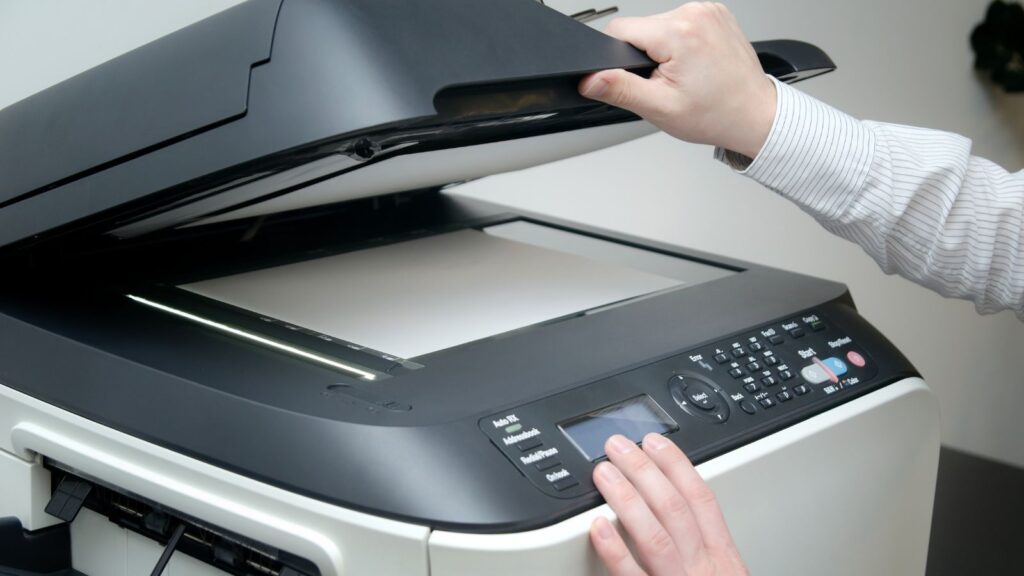
Books are the headline; most of the volume in an office is loose. A czur document scanner covers the material sheet feeders refuse: stapled sets nobody is allowed to take apart, bound registers, identity cards, receipts curled from a till roll, fabric samples, anything with thickness. Capture is a photograph rather than a pass through rollers, so nothing has to be flat, uniform or unattached.
For a model that supports live video, the overhead position also makes it useful in demonstration rooms and remote meetings. Check that feature and the connection requirements for the specific unit before treating it as a replacement for a dedicated camera. The limit deserves saying plainly. For a thousand identical loose sheets with no staples, a sheet feeder still wins, because an overhead unit needs a hand to place every item and a feeder does not.
How CZUR Scanners Fit Into a Digitization Workflow
A scanning batch needs an acceptance test before it becomes an archive. With CZUR scanners, start with a sample that includes a tightly bound spread, a page of small print and any unusual material in the collection. Open the exported files on the machine that will actually use them. Check page order, the inner margin and whether a search finds a word visible on the original page. Record failures by page number so the operator can recapture those pages without repeating the whole batch. The following decisions give that test a repeatable scope.
- Name the material honestly. Bound volumes, loose files, oversize plans, or the mixture most records rooms actually hold; the mixture is the usual answer, and it is the one that rules out any device built for a single format.
- Count a representative batch. Include setup, page turning, export and corrections in the elapsed time; a single successful capture does not describe the workload for a complete volume.
- Say what the output has to be. An image of a page satisfies nobody who needs to search it, so searchable text belongs in the specification rather than in the list of pleasant surprises.
- Fix the destination before the first scan: folder structure, naming and ownership of the archive are cheap to agree now and expensive to retrofit across thousands of files.
When a CZUR Pro Professional Book Scanner Is the Right Tier
Tiers exist because duty cycles differ. Consider a czur pro professional book scanner when scanning is a regular responsibility: a library working through a collection, a legal team processing case files, a department converting course material into accessible formats. At that level the deciding factors are ergonomics and repeatability.
Consider what a long session demands. The operator needs the capture triggered without moving a hand away from the book, because reaching for a mouse a thousand times is what makes the work slow and unpleasant. The support surface has to hold a heavy volume open at a stable angle, so both halves of the spread stay in focus together. Lighting has to be even across the full width and consistent from the first hour to the fourth, since a drift halfway through a batch is not something post-processing fixes cleanly. The software has to hand files to whatever system stores them, in the formats that system accepts. Those four demands describe an operator’s hands and a heavy book rather than a sensor, and they are what separate the professional tier from the desktop one.
It follows that the tier is wrong for plenty of buyers. A department scanning a handful of pages a week is paying for capacity it will never reach, and is better served by a light unit that lives on a desk and gets switched on without ceremony. The fit test is the material itself: count how many of the volumes in front of you are bound tightly enough that a hand has to hold them open, and how many hours in a row somebody will spend turning pages under the column. Where both numbers are small, a desktop unit does the same geometry on the same curved page. Where they are not, the professional tier is bought for the operator’s forearms rather than for a better picture.