In 2026, editing static templates and tedious, time-consuming manual editing is a thing of the past. The best platforms today utilize AI to enable businesses, startups, and creative professionals to develop professionally produced logos in just minutes, regardless of prior design experience. However, not all AI-based logo design platforms are the same.
LogoAI and Design.com are two of these platforms – we’ve compared the two based on available features, customization options, library of assets, and overall user-value as a means of providing quality logo design. Ultimately, this comparison will demonstrate which platform provides the most optimal combination of automation capabilities, flexibility, and brand-building capability.
What Makes a Great Logo Tool?
A truly effective logo design tool does more than generate an image. It should include:
- Smart AI generation
- Customization freedom
- Brand integration
- Commercial safety
- Export versatility
Today, we compare two contenders: one focused on pure logo design and another offering a full branding ecosystem with powerful AI at its core.
Design.com
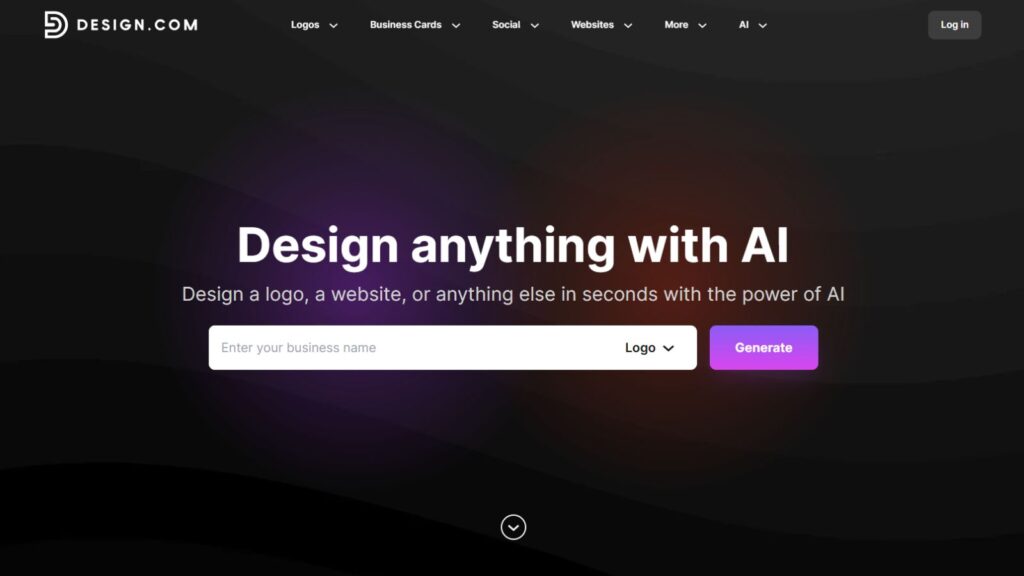
Design.com is an overall branding and design platform that offers so much more than a single logo creation tool. Utilizing one of the biggest design libraries and having some of the most advanced AI tools in the industry, Design.com is designed specifically for businesses looking for cohesive and professional branding – not just a logo to stand alone.
Key Features
Design.com’s core feature set really sets it apart from competitors.
- Logo Creation Using AI: Use the AI logo generator to quickly and easily generate professional logos using your own input and preferences for your brand style. A simple prompt about your business and you’re presented with thousands of beautiful, relevant logo designs.
- World’s Largest Design Library: With over 400k+ logo designs and 1 million+ total design templates, including templates for every major industry, Design.com has everything you need to build your brand.
- Branding Tools Powered by AI: Create business cards, flyers, posters, presentations, and websites that all automatically match your logo colors.
- Advanced Editing System Powered by AI: Easily edit the icons and text in your logo and other designs using a simple chat-based system, with the ability to make copyright-safe edits.
- Fonts & Vector Shapes: 750+ fonts (525+ exclusive to Design.com), 62k+ custom vector shapes created exclusively for Design.com.
- Commercial-Safe & Licensed Designs: All designs are checked for originality; Design.com also provides extended licensing options to provide the owner of the logo with exclusive rights to their logo.
- Multiple Format Options for Your Logos: Get your logo files in the format(s) you need (SVG, EPS, PDF, PNG, JPG, GIF, MP4, and even icon-only versions) and even get them delivered in a file ready for use as a transparent background.
Additional Features
- Automated Brand Color Palette Inheritance: When you create a new social media image, website or print design, Design.com will automatically apply the exact color palette used in your logo to ensure a consistent brand look.
- Access to Free Tools: Access Design.com’s free logo downloads, as well as their free website builder, link-in-bio creator, and digital business card maker.
- Printing Service: Order your logo printed on business cards, mugs, t-shirts, etc., with free shipping.
- Support: Get 24/7 email and chat support, as well as multiple language support and the option to pay in your country’s local currency.
- Collaborate: Save your favorite designs and have your team vote on which logo design they like best.
Why Choose Design.com?
Unlike many other logo makers, Design.com offers a full AI branding suite.
It offers:
- Complete Branding Ecosystem
- Advanced AI Technology
- Digital & Print Ready
- Professional Flexibility
With the combination of extensive AI capabilities, a huge template library, exclusive assets, commercial-safety features, and branding tools, Design.com provides the ultimate in comprehensive logo solutions for 2026.
LogoAI
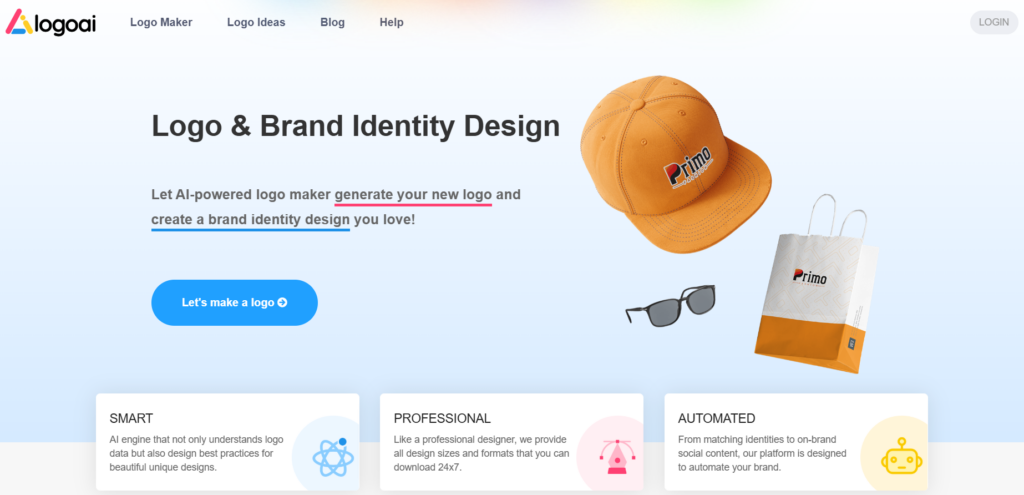
LogoAI is a specific AI-generated logo creation tool that is created for speed and ease of use, and allows you to generate several logo concept ideas based on your business name and keywords.
Key Features
- Logo Creation Features: LogoAI uses AI to create logo concepts directly from your business name and keywords, and also provides multiple template suggestions for logo style and mood.
- Logo Style Ideas: LogoAI will also give you some logo style recommendations (font pairs and colors) for your logo based on your input.
- Logo Editing: You can edit the logo components by adjusting the text, icons, layout, and color palette using the logo editor.
- Download Your Logo: Finally, you can download your finished logo in common file types such as SVG and PNG.
Why Use LogoAI?
LogoAI is built for simplicity and speed. Its interface is fairly easy to navigate, making it accessible for users who want quick logo concepts without diving into complex design tools.
The platform focuses primarily on generating logo ideas efficiently rather than offering a full branding ecosystem.
- User-friendly interface
- Fast logo generation
- Simple customization tools
- Beginner-focused experience
- Limited branding features
LogoAI vs Design.com Comparison Chart
| Feature | LogoAI | Design.com |
| AI Logo Generation | Yes | Advanced AI with chat editing |
| Template Library | Moderate selection | 400K+ logos, 1M+ total templates |
| Customization Tools | Manual edits for icons and colors | Chat-style AI editing and deep controls |
| Branding Ecosystem | Focused on logos | Full branding toolset (50+ tools) |
| Exclusive Assets | Standard assets | 750+ fonts, 62K+ vector shapes, exclusive designs |
| Export Options | SVG, PNG | SVG, EPS, PDF, PNG, JPG, GIF, MP4 |
| Commercial Licensing | Basic rights | Extended licenses available |
| Print Features | Limited | Printing on merchandise with free delivery |
| Support | Standard | 24/7 email and chat |
| Ease of Use | Fast & simple | Comprehensive but still beginner-friendly |
Final Verdict
LogoAI can be a good choice if you’re looking for an easy way to create logos quickly without too much hassle – It is mainly ideal for new business owners or anyone who wants a simple design.
Design.com is superior in every aspect regarding overall logo quality, ability to customize through AI, maintaining consistent branding, and using the same assets in multiple formats (logos, letterhead, etc.).
In general, for companies looking for professionally created, branded, and cohesive designs, including all marketing materials, Design.com will win hands down as the top logo design tool for this year.