
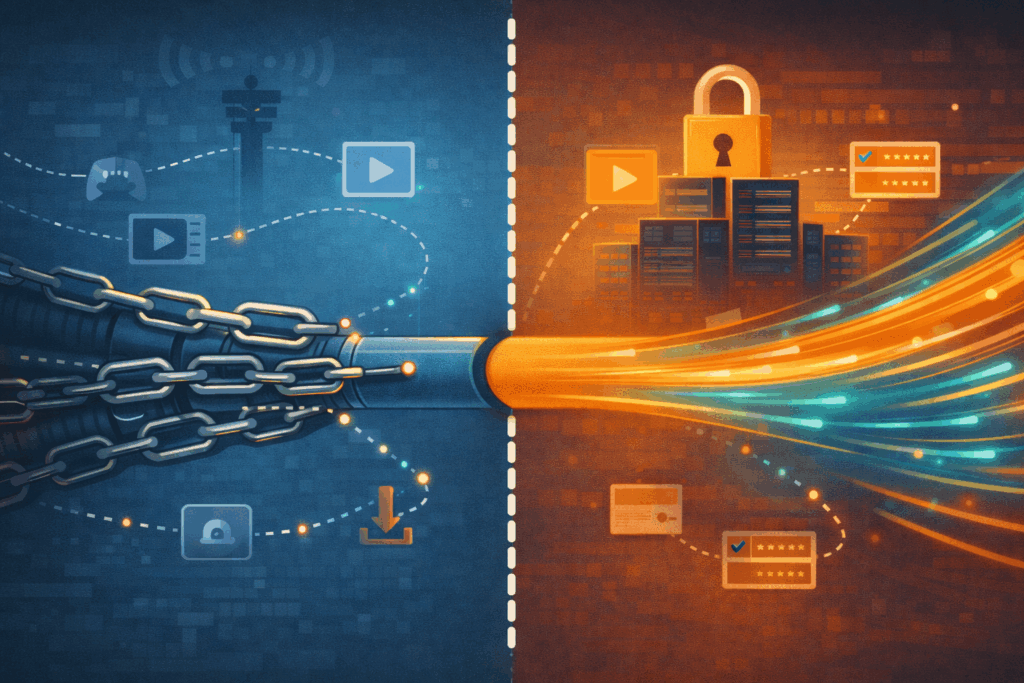
Have you ever noticed that your internet suddenly slows down during certain activities, even though you’re paying for a high-speed plan? Streaming starts buffering, downloads crawl, or online games lag for no clear reason. In many cases, this isn’t a technical issue on your end—it may be ISP throttling.
ISP throttling happens when your Internet Service Provider intentionally slows down certain types of traffic. This can seriously affect your online experience, especially if you rely on the internet for entertainment, communication, or work. Fortunately, using a reliable free VPN -such as Planet Free VPN – can help you regain control over your connection and enjoy more consistent speeds.
What Is ISP Throttling and Why Does It Happen?
ISP throttling is the practice of limiting internet speeds based on usage patterns rather than your actual plan. Providers use traffic management techniques to monitor how data flows across their networks and may slow down specific activities.
How ISPs Control Bandwidth
Internet Service Providers can identify different types of traffic, such as streaming, file sharing, or gaming. By prioritizing or deprioritizing certain data, they can reduce speeds for bandwidth-heavy activities without slowing down the entire connection.
Common Reasons Behind Throttling
Throttling is often used to manage network congestion during peak hours. Some ISPs also limit high data usage to balance network load among users. While this may help them manage infrastructure, it often comes at the cost of user experience.
Clear Signs Your Internet Speed Is Being Throttled
ISP throttling usually follows recognizable patterns. If you notice any of the signs below, your connection may be restricted.
Slowdowns During Specific Activities
If your connection feels fast when browsing but slows dramatically when streaming or downloading files, that’s a strong indicator of activity-based throttling. ISPs often target data-intensive tasks.
Streaming Buffers Despite Good Speed Tests
You may run a speed test and see acceptable results, yet streaming platforms struggle to maintain quality. This mismatch often suggests that certain services are being throttled selectively.
Inconsistent Speed Test Results
When speeds vary significantly depending on the time of day or activity, throttling may be involved. Testing your connection at different times can reveal recurring patterns.
Extremely Slow File Sharing
Peer-to-peer transfers and large downloads are commonly restricted. If these tasks are consistently slower than expected, your ISP may be limiting that traffic.
Predictable Slowdowns at Peak Hours
If your internet slows down every evening or during busy hours, it may be more than simple congestion. Repeated patterns often point to deliberate bandwidth control.
How to Check If Your ISP Is Throttling Your Connection
You can confirm throttling with a few simple steps. Start by running speed tests during different activities and at different times of day. Compare the results carefully.
One effective method is testing your speed with and without a VPN. If your connection improves noticeably once your traffic is encrypted, this strongly suggests ISP throttling.
How a VPN Helps Bypass ISP Throttling
A VPN works by encrypting your internet traffic and hiding its contents from your ISP. This prevents providers from seeing what kind of data you’re sending or receiving.
Encryption and Traffic Masking Explained
When connected to a VPN, your data travels through a secure tunnel. Because your ISP can no longer identify whether you’re streaming, downloading, or gaming, it becomes much harder for them to apply targeted throttling.
Is It Legal to Use a VPN?
In most regions, including the United States and many other countries, using a VPN is completely legal. While a VPN helps protect privacy and connection stability, it should always be used responsibly and within local laws.
Why Planet Free VPN Is a Practical Solution
If you’re looking for a simple way to reduce throttling and improve consistency, Planet VPN offers a user-friendly and accessible option.
Planet VPN focuses on strong encryption and privacy-first principles, helping users keep their internet activity private and unrestricted. By masking your traffic, it can reduce the likelihood of ISP-imposed slowdowns.
Easy Access Across Devices
Planet VPN supports multiple platforms, making it easy to stay protected wherever you connect. Android users can install the VPN app for secure mobile browsing, while iOS users can rely on the free VPN app for a smooth and reliable experience.

Privacy Without Complexity
With a clear no-logs approach and modern encryption standards, Planet VPN helps users browse with confidence—without complicated setup or technical barriers.
What to Expect When Using a Free VPN
Free VPN services may include certain limitations, such as data caps or fewer server locations. However, for everyday browsing and reducing ISP throttling, a free VPN is often more than sufficient.
For users who regularly face speed drops during streaming or downloads, even basic VPN protection can make a noticeable difference.
Regain Control Over Your Internet Speed
ISP throttling can quietly undermine your internet experience, but it doesn’t have to. By recognizing the warning signs and understanding how throttling works, you can take proactive steps to protect your connection.
Using a trusted free VPN helps encrypt your traffic, reduce interference, and restore more stable speeds. With the right setup, you can enjoy a smoother, more reliable internet experience—on your own terms.